



Validate Bluetooth range with the device fully assembled, the intended phone or gateway, and the application workload running. Define success in terms of delivered data, response time and recovery under representative conditions. A connection icon or one successful walk across a room is not enough evidence to accept the design.
For a connected product, the useful question is specific: can this hardware and software combination complete the required task, in the positions and surroundings where it will be used? That question gives the electronics, mechanical and app teams a shared test to work toward before the enclosure design is frozen.
Start with the user task, not a distance claim
Write down the operating situation first. Is a technician reading a stationary sensor from a phone? Is a wearable sending frequent updates while its user moves? Is a gateway mounted behind equipment? Each situation creates different test conditions and consequences when a message is delayed.
إنّ Bluetooth SIG range guide identifies several influences on effective range, including the physical layer, transmit power, receiver sensitivity, antenna characteristics and the surrounding environment. Distance alone does not describe these conditions. A result obtained in an open corridor should not become a promise about a machine room or a device worn against the body.
Before testing, specify the intended separation or coverage area, relevant obstacles, mounting height, orientations, supported receiving devices and required operating duration. Then define the application outcome: how many updates must arrive, how quickly a command must be acknowledged, or how soon the system must report that a live connection has been lost. Set these limits from the product requirement, not from a convenient result obtained during development.
Test the assembly that will actually be used
A development board is useful for a baseline, but acceptance should cover the representative assembled product. Include the enclosure, battery, display, cables, fasteners and mounting arrangement. Record their revisions and placement. If any part is still provisional, identify it in the report rather than treating that build as the final configuration.
Infineon’s AIROC Bluetooth module placement guidance discusses orientation, polarization and the effects of nearby metal and nonmetallic enclosures. Its detailed dimensions belong to the illustrated antenna and module designs. Follow the selected component’s current integration guide; do not copy a clearance value from an unrelated module.
Use an open-board comparison to investigate a change, then repeat the relevant checks with the enclosure closed. A temporary USB cable, an open lid or a different battery position should be recorded as a different setup. Photographs of each test configuration make these differences easier to review later.

Keep the receiving device in the test plan
The phone or gateway is part of the product’s communication path. Record its model, operating system, app build and relevant Bluetooth configuration alongside the device firmware. Test the supported combinations that matter to the intended user, rather than describing one developer’s phone as representative of every phone.
Define both ends’ positions. For a wearable example, a phone held in front of the user and a phone in a pocket on the opposite side of the body are separate conditions. For a fixed installation, record the enclosure’s orientation and nearby structures. Include realistic movement where the use case requires it, but keep a repeatable stationary baseline for diagnosis.
If the app must operate with its screen locked or in the background, include those states as explicit tests on each supported platform. Separate a failure to receive data in the app from a confirmed radio disconnect. They may require different investigations; the visible symptom alone does not establish the cause.
Measure application results and use RSSI as context
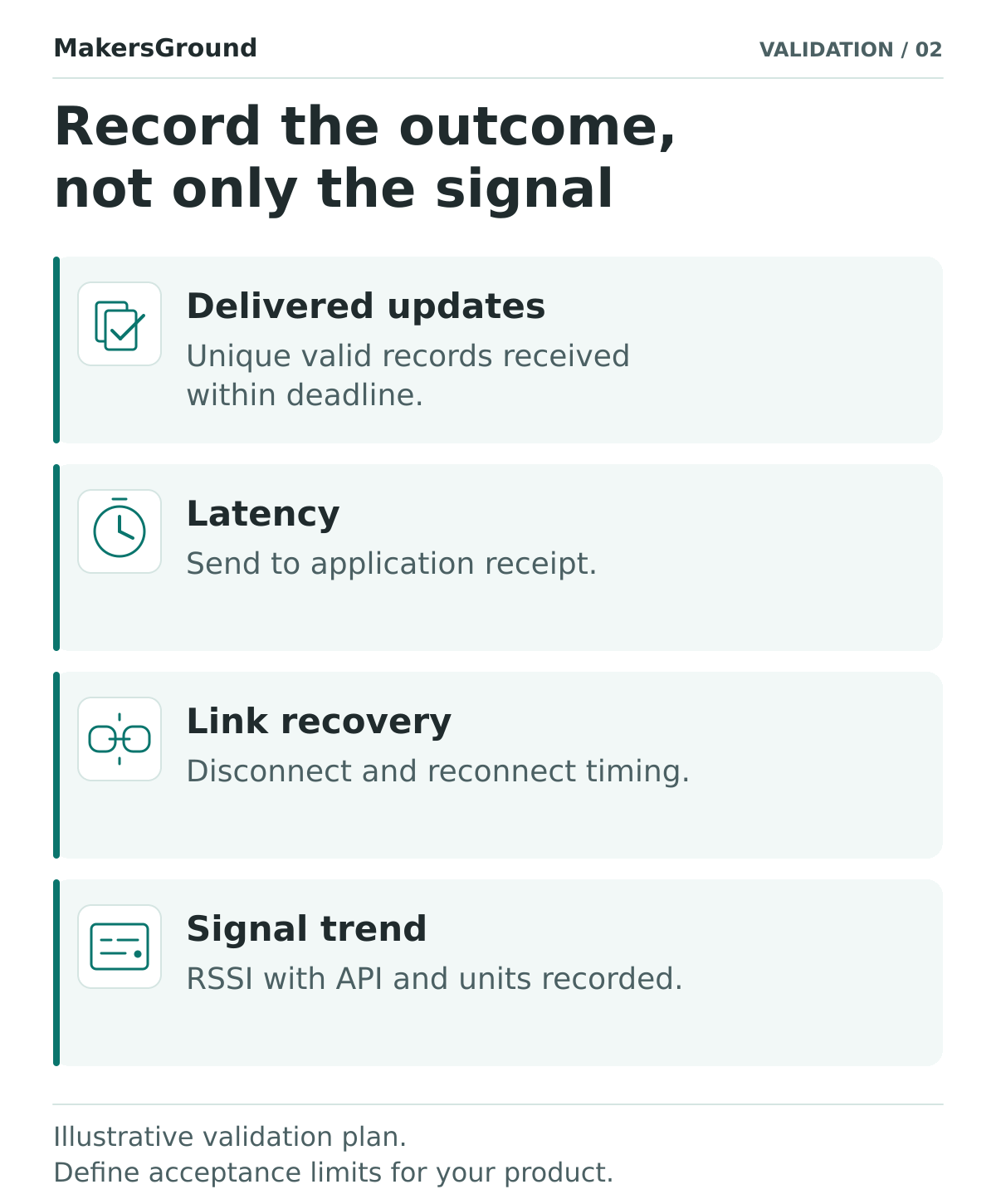
Choose a small set of measurements that explains whether the task worked. For periodic telemetry, give test messages sequence identifiers and record which unique, valid messages reach the application before their deadline. Count late messages separately from missing ones, and do not let duplicates inflate the delivery result. Record the longest interval without an accepted update as well as the overall count.
For latency, define the start and end events. “Time until data appears” might include firmware processing, transmission, app processing and display refresh. A one-way measurement across two devices needs a validated clock relationship and a stated timing uncertainty. If that is unavailable, use a measured round trip or a single-observer procedure and name it accurately. Do not present that result as one-way radio latency.
Received signal strength can help compare runs, but record the API, units, sampling method and read status. For example, Android documents the received signal strength returned by ScanResult.getRssi() in dBm. That is a scan-result measurement, not evidence that an established connection delivered the application data. Check the equivalent definition for the API used in your test.
Keep the RSSI series beside the delivery and timing logs. Avoid selecting a universal RSSI cutoff or converting it into an exact distance without a separately justified method. The application outcome remains the acceptance measure; signal strength is supporting diagnostic evidence.
A hypothetical test matrix for a connected sensor
Consider a hypothetical, non-safety-critical inspection sensor that sends one numbered update per second to a phone. The team wants technicians to read it from a defined working area. No results below describe a MakersGround project or a tested product.
For each condition, schedule 600 numbered updates at one-second intervals and record the actual send log. Classify each expected ID once: on time, received after its deadline but before the agreed observation cutoff, or not received by that cutoff. Agree the allowed number of late or missing updates, the maximum acceptable gap, the response deadline and the observation cutoff before running the test. These are illustrative test choices, not recommended limits for every product.
- Baseline: the closed enclosure and supported phone remain stationary in a documented unobstructed position. Establish whether the logging and workload behave as intended.
- Orientation: repeat at the required device and phone orientations while holding separation and other conditions constant. Keep the less favorable results rather than reporting only the best position.
- Representative use: repeat at the intended mounting location or body position, with ordinary activity and nearby equipment operating normally. Describe the environment; do not claim it is a controlled interference test.
- Loss and return: move out of the intended coverage area and return using a documented procedure. Measure loss indication, reconnection and the first new valid update separately.
- Build variation: repeat the important cases across the planned prototype units and supported phones. Record the sample count and any limits on what that sample can establish.
Keep application settings, message size and workload consistent between comparable runs. If a radio parameter or firmware revision changes, record the change and repeat the relevant baseline. An improved result after changing several variables at once is difficult to attribute to a particular fix.
Investigate failures without hiding them in an average
A delivery percentage can conceal a long interruption. Report the count of unique updates received on time, late and missing, together with the longest gap, disconnect events and recovery times. Preserve raw logs and the test setup so another engineer can reproduce the result.
When a condition fails, narrow the investigation. Compare open and closed enclosure builds, then compare orientations, receiving devices or firmware versions one change at a time. A symptom that changes with enclosure assembly is a reason to investigate the RF integration, not proof of one specific antenna defect. Likewise, an app freeze should not automatically be described as a weak radio link.
After a correction, rerun the failing condition and the relevant baseline. Retain the earlier failure in the record. If delayed data is delivered after recovery, use a separate policy for its age and meaning; our offline telemetry guide explains why historical replay must be distinguished from current status.
What a design review should receive
The review package should identify the hardware and enclosure revisions, antenna/module integration reference, firmware and app builds, receiving devices, operating settings, test locations and setup photographs. Include the agreed acceptance limits, observation durations, unit counts, raw logs, exceptions and retest results. State which intended conditions have not yet been tested.
This is functional product validation. It does not replace applicable radio qualification, regulatory assessment or a product-specific safety process. A product used for a safety-related purpose needs an appropriate risk and validation plan beyond this example.
يوثّق السجل الأصلي لمشروع Pathfinder describes a sensor belt communicating with a mobile app over Bluetooth. It provides a relevant connected-device context, but it does not establish a verified range, an RF test method or current product availability. The approach in this article is a proposed review method for new development, not a claim about how that historical prototype was tested.
For a new product within our IoT and hardware development work, we recommend agreeing this evidence before accepting the enclosure and communication design. The decision should name the tested configuration, the supported operating conditions and the remaining limitations. That is more useful to the next engineering phase than an unexplained maximum-distance number.
المصادر والنطاق
Sources checked on 25 October 2026. The test plan and numerical example are illustrative engineering recommendations. No measured MakersGround radio performance or specific component stack is claimed.
- Bluetooth SIG: Understanding Bluetooth range. General influences on range; not a range guarantee for a finished product.
- Infineon: AIROC Bluetooth module placement. Manufacturer guidance originally dated 21 April 2015; antenna, module and clearance examples are design-specific.
- Android Developers: ScanResult.getRssi(). API-specific RSSI units for a scan result; not a connection or application-delivery acceptance criterion.
- MakersGround: Pathfinder. Historical project record dated 26 July 2021, used only for its documented Bluetooth belt-to-app architecture.