

Hardware Prototype Revision Checklist: From CAD Change to Test Record

by mhmd bakri

A worked connector-change example shows how to connect CAD, PCB outputs, parts, firmware, as-built units and retest evidence before the next prototype build.

After changing a hardware prototype, prepare a matched set of design and build records, identify what was actually assembled, and connect the revised unit to its test results. The useful question is not simply “Did we update the CAD?” It is “Can someone build and check this revision without guessing which files, parts and software belong together?” Record what changed, what remains applicable and what evidence the next build must produce.

This checklist follows one hypothetical connector relocation through that process. It is intended for product founders and engineering teams preparing another prototype or handing a revised design to a build partner.

1. Identify the unit tested, not a folder called latest

A mechanical model, PCB layout and firmware release can each have a different revision. An assembled prototype can contain a mixture of those revisions, plus rework that exists only on that unit. Give the physical unit an identifier and record its actual configuration before using its results to make a design decision.

A compact record might list the enclosure revision, board revision, applicable parts list, firmware identifier and configuration. Keep the design proposed for the next build separate from the unit already tested. “Latest” does not tell another person which combination produced an observation.

NASA’s configuration-management guidance connects identified baselines, evaluated changes, configuration history and verification. For a small prototype team, those principles can become a short change record and build manifest; the documentation should match the project’s complexity.

2. Separate the observed problem from the proposed fix

Write down the observation before naming the solution. Include the unit, conditions and evidence: what could not be assembled, what measurement differed, or which behavior did not match the requirement. Then state the proposed change and why it might address that problem.

“Move J1” is an instruction. “The mating plug cannot be fully seated with the enclosure fitted; move J1 and verify access on the next assembled unit” connects an observation, a hypothesis and an acceptance check. A drawing change does not demonstrate that the hypothesis worked.

Identify the affected interfaces and who can approve a substitution or deviation. If someone proposes a different connector while building, the decision should be traceable to that proposal rather than disappearing into an informal conversation.

3. Worked example: moving connector J1 on board revision B

This is a hypothetical example, not a documented MakersGround project change. Prototype units P01 and P02 use board revision A. A team proposes moving connector J1 for better enclosure access on board revision B, while keeping the same connector part and net assignments. New unit P03 will evaluate the change. No dimensions or successful result are assumed.

Record Revision decision Evidence needed
Mechanical CAD and drawings Check J1’s new position against the opening, mating plug, cable space and assembly access. Update affected geometry or dimensions. Identified CAD and drawing revisions, followed by the relevant fit and access checks on P03.
PCB sources and outputs Move the footprint and review affected routing. Generate the accepted fabrication and assembly outputs from board revision B. Source revision and output manifest, with agreed units and coordinate origin.
Parts list and assembly instructions The BOM can remain applicable if the actual parts are unchanged. Update instructions where position, orientation or assembly sequence changes. Applicable BOM revision and clear J1 orientation; record any substitute separately.
Firmware and configuration A position change with unchanged electrical connections does not automatically require new firmware. Assess pin mapping and other affected assumptions. Exact applicable software and configuration identifiers, with the reason for keeping or changing them.
Physical build record Preserve P01 and P02 records. Identify P03’s actual construction, parts and any rework. P03’s as-built configuration; distinguish a reworked A board from a newly fabricated B board.
Verification record Select checks for the affected mechanical, electrical and assembly interfaces. Procedure, conditions, observations and decision tied to P03; unresolved issues remain visible.

The table links a design decision to evidence. A reviewed layout or successful export is evidence about the files; it does not prove that the revised physical assembly works.

4. Generate a consistent release pack

Before sending files, identify the source revisions and generate the agreed outputs from them. List the files included, their revision or identifier, and their purpose. Confirm the build partner’s accepted formats, units and coordinate origin. A prototype does not need every possible manufacturing document, but required items should not be inferred from filenames.

The KiCad 9.0 PCB Editor documentation illustrates the distinction between fabrication plots, drill files and component-placement files. These outputs serve different purposes. It is a versioned tool example, not a claim about MakersGround’s software or a universal requirement to use one export format.

If the team uses Git, a release tag can identify a point in source history. Record the commit identifier too: tags can be deleted. A source commit is distinct from the actual firmware bytes installed; recording the binary’s checksum helps identify those bytes, but does not establish functional correctness.

5. Record the intended build and the as-built unit separately

The released pack describes the intended configuration. The build record describes what was actually assembled. Record deviations, substitutions and rework against the unit, including the decision that accepted them or the question still awaiting resolution.

Suppose P03 is assembled using an A board with a connector rework. That may help investigate access, but it is not the same construction as a newly fabricated B board. Label the experiment accordingly. Neither the new CAD filename nor an updated label should erase that distinction.

Keep superseded releases retrievable for the units that used them, while clearly identifying the pack intended for the next build. Historical records should explain an old result without allowing obsolete files to be mistaken for current instructions.

6. Retest the affected interfaces against explicit checks

Choose retesting from the change’s impact, rather than copying an old “passed” result. For the J1 example, relevant questions could include whether the intended plug can be seated, whether the cable and assembly access remain acceptable, and whether affected connections and device behavior still meet their requirements.

Define the procedure, conditions and acceptance criteria before claiming success. Record the exact unit and configuration used, the observed result, and the decision it supports. A fit check on a reworked board answers a narrower question than checking the newly fabricated assembly.

Tests and safe handling depend on the actual electronics and product; this checklist does not prescribe universal powered-test steps. If the change affects pin mapping, timing or command behavior, revisit the hardware–firmware interface agreement as well as the build records.

7. What the historical Gomicron material can show

The Gomicron engineering project documents MakersGround’s work across mechanical design, PCB and electronics, firmware and control, slicing software, prototyping and manufacturing. The original project material provides concrete design context for work spanning these disciplines.
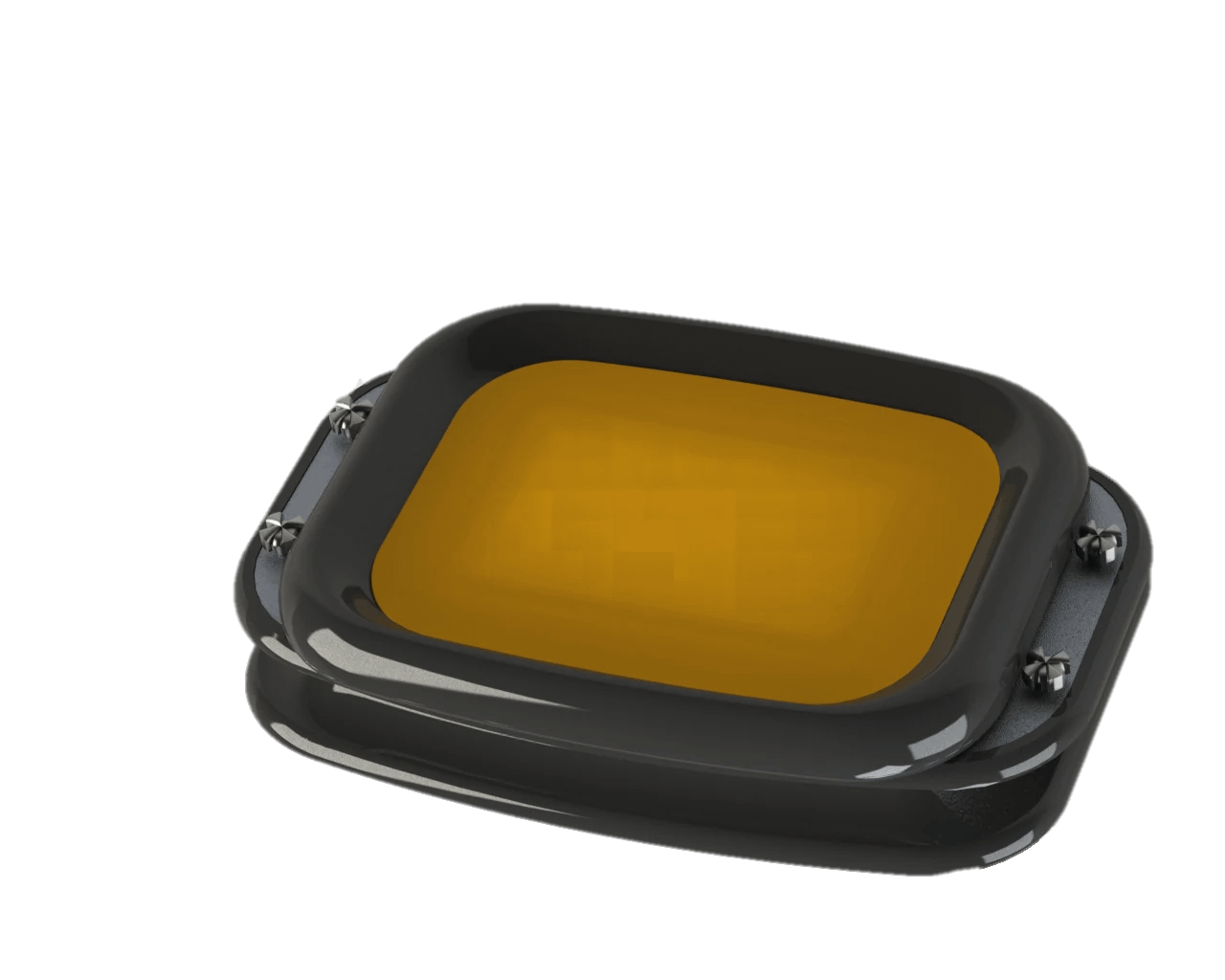
Historical Gomicron printing-tray assembly CAD render
Original printing-tray CAD render from the owner-approved Gomicron project deck, slide 8. The connector example above is hypothetical.

This historical render shows mechanical-design context. It is not a manufacturing drawing, measured fit result or published revision history. The checklist here is a proposed approach, rather than a claim about the release process used on Gomicron.

8. Ask five questions before the next prototype build

  1. Which issue and physical unit motivated the change?
  2. Which design, output, parts and software records changed, and which remain applicable?
  3. Can the build partner identify the intended pack and the decisions needed for substitutions?
  4. How will the actual assembly and any deviations be recorded?
  5. Which checks on which unit will support the next decision?

For a team in Lebanon, the Gulf or elsewhere in MENA, settle file formats, units and document language with the actual build partner. Make approval responsibilities clear when design and assembly happen in different places.

Explore hardware product development and electronics and PCB development, or discuss the next prototype build with MakersGround. Bring the observed issue, current files and unit records so the review starts from the configuration you have.

By Sawsan Sayad. Technical references and linked project evidence checked on 5 October 2026. The connector example is hypothetical.
Hardware–Firmware Interface Checklist for Connected Devices

by mhmd bakri

Define the agreement between electronics, firmware and app teams: electrical limits, data meaning, command outcomes, recovery and version compatibility, with a worked sensor example.

Before integrating a connected device, agree a versioned interface specification covering electrical limits, data meaning, timing, command outcomes, recovery and access. For each boundary, name an owner on both sides and a test that proves the agreement. A connector pinout or message format alone is not enough.

This checklist is for founders and engineering teams coordinating electronics, embedded firmware and application development. It helps turn “these parts should work together” into decisions that can be reviewed before a PCB revision or integrated prototype.

What belongs in an interface specification?

An interface is the boundary where one part of the system supplies something another part depends on: power, a signal, a measurement, a command or a software response. Write down both sides of that boundary. A sensor may report a value correctly while an application interprets it with the wrong units or treats an old reading as current.

NASA’s interface management guidance connects interface control with integration and verification. Its interface requirements outline includes responsibilities, engineering units, tolerances and interface requirements. The checklist below is an original, smaller-scale application of those ideas for connected products.

  • Boundary: which two components exchange power, information or commands?
  • Owners: who maintains each side, and who approves a change?
  • Meaning: what does each signal or value represent, including units and invalid states?
  • Behaviour: what happens at startup, during operation, after a timeout and after recovery?
  • Evidence: which inspection, measurement or integration test will establish that the agreed behaviour occurs?

1. Resolve the physical and electrical boundary first

For a board-to-board or sensor connection, record the connector orientation and pin numbering, signal direction, power requirements, logic levels, reference ground and permitted operating limits. Identify which component provides any required pull-up or termination. Check the selected components’ actual datasheets and bus documentation; a familiar connector does not establish electrical compatibility.

Agree what the pins do before firmware has initialized. Ask what happens if one board is powered while the other is off, if the sensor disconnects, or if reset occurs while a transaction is underway. The answers should be explicit design requirements with a test owner, rather than assumptions left for the first integrated build.

For a product containing moving mechanisms, also identify the coordinate reference, travel limits and responsibility for protective functions. A communication agreement is one part of engineering the system; it does not establish that the machine is safe to operate.

2. Define the meaning of data before choosing its format

For every measurement, specify its name, unit, sign convention, expected range, resolution, validity indicator and sampling rule. Distinguish the time of measurement from the time a gateway or server receives it. Decide how the receiver knows a reading is stale and what it should display when no valid reading is available.

Keep “zero,” “unknown” and “sensor fault” separate where they mean different things. Record where calibration or unit conversion happens so two layers do not apply the same conversion twice. Agree limits on packet size, strings and identifiers before committing to firmware memory allocation.

If using JSON, IETF RFC 8259 describes interoperability issues including duplicate object names and numeric precision. Use unique field names and numerical representations both implementations can support. Successful parsing establishes that a message has an accepted form; it does not establish that its measurement is current or correct.

3. Separate a received command from a completed action

A response saying “received” answers a different question from “accepted,” “applied” or “failed.” Define the states the application can show and what evidence triggers each transition. Include a request identifier so a delayed response can be matched to the command that caused it.

Specify who owns timeout decisions, whether a command may be retried, and how duplicates are handled. Repeating “set the sampling interval to 60 seconds” can be designed to leave the same configuration in place. Repeating “add one unit” changes state again. Those operations need different retry rules.

After a lost connection, the application may not know whether a command took effect. Provide a way to query the device’s actual configuration or command outcome rather than treating a timeout as proof that nothing happened.

A worked example: configuring a sensor’s sampling interval

Hypothetical example: an environmental monitoring device accepts an application request to change its sampling interval. The values and behaviours below are illustrative design choices, not a MakersGround deployment or a description of Gomicron’s firmware.

Contract item Illustrative agreement Acceptance check
Interval and units An integer number of seconds, from 10 to 3,600 inclusive. Reject 0, 9, 3,601 and fractional values; accept the two boundaries.
Request identifier Each new request has an identifier. Retries reuse that identifier and the same payload. A retry produces the same recorded outcome. Reusing the identifier with a different interval is rejected.
Command outcome Report accepted, applied, rejected or failed. Applied means the new interval is durably stored and the sampling task uses it. Check the matching outcome and active configuration. Observe timestamped samples at the agreed interval and project-specific timing tolerance.
Persistence The applied interval survives restart. A repeated request must not change its meaning. Restart after application and verify the interval. Test retry behaviour across restart explicitly.
Unknown outcome If the response is lost, query active configuration. Do not display success based only on a sent request. Drop a response after application and verify the application resolves the state correctly.

The table still needs project-specific decisions: response deadlines, how long request outcomes are retained, who may configure the device, and what happens if persistence fails. Put those decisions in the same specification. Then run the tests with both implementations connected; a simulator alone cannot verify the electrical boundary.

4. Include recovery, access and version changes

Write separate expectations for loss of connectivity, firmware restart and loss of power. Define which settings persist, how invalid state is detected, and how the device reports that it is ready. If readings are buffered, agree their ordering and whether they retain their original measurement time when sent later.

List who can read, configure and update the device, including local service interfaces. NIST’s IoT Device Cybersecurity Capability Core Baseline provides a starting point for device cybersecurity requirements, including interface access and software updates. Apply requirements to the actual product and its operating environment; citing the baseline is not a certification or evidence of a security assessment.

Record hardware revision, firmware version and interface version separately. Keep a compatibility table for the combinations that have actually been tested. Agree how old receivers handle new optional fields and how incompatible changes are detected. A changed unit under an unchanged field name can break meaning even when the message still parses.

What the Gomicron project can show

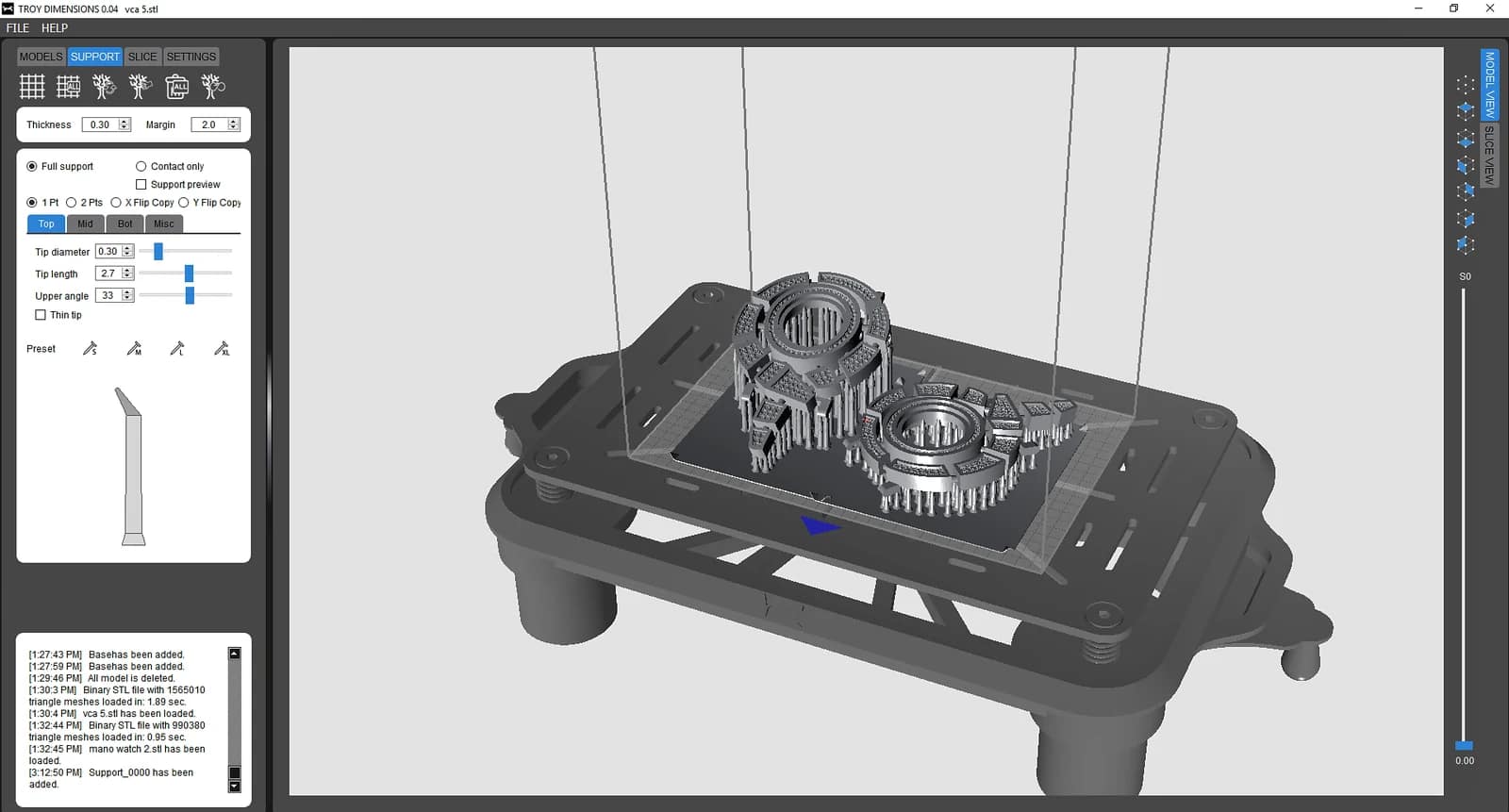
MakersGround’s Gomicron 3D printer engineering record documents work across mechanical design, custom PCB electronics, firmware, slicing software, prototyping and manufacturing. Original CAD, hardware photographs and software screenshots make those disciplines visible.

Historical Gomicron print-preparation software showing a model, supports and control panels
Original software screenshot from the owner-approved Gomicron project deck. Its historical window title retains the Troy Dimensions name.

These materials illustrate the scope of a product spanning physical hardware and software. They do not disclose its interface specification, communication protocol, test results or current commercial status. The checklist and sensor example above are general engineering guidance, not a claim that this exact process or protocol was used on that project.

What should you bring to an interface review?

Bring the current schematic and connector definitions, component datasheets, a list of messages and commands, example payloads, startup and recovery expectations, and the hardware/firmware revisions being integrated. Mark unresolved decisions and assign owners. For a deployment in Lebanon, the Gulf or elsewhere in MENA, document the actual site’s connectivity, operator languages, service access and support responsibilities rather than assuming a common regional operating environment.

Finish the review with a versioned specification, named owners on both sides and a short acceptance test list. If you need help defining the boundary between a board, firmware and an application, explore MakersGround’s embedded systems and firmware services and electronics and PCB development, or discuss your existing design and integration questions.

By Sawsan Sayad. Technical references and linked project evidence checked on 3 October 2026. The worked example is hypothetical.

Hardware Prototype vs MVP vs Production-Ready Product

by mhmd bakri

Understand what a hardware prototype, MVP, and production-ready product should prove. Compare the stages and use a decision checklist to choose the next experiment, user trial, or manufacturing investment.

A hardware prototype tests whether an idea can work. A minimum viable product tests whether a limited solution is useful to real users. A production-ready product adds the evidence and processes needed to build, deploy, and support that solution consistently. These stages answer different questions, so a polished demonstration should not be treated as proof that a product is ready to manufacture.

For a team launching in Lebanon, the Gulf, or the wider MENA region, the right next step depends on where the uncertainty sits. It may be sensing performance, user adoption, installation conditions, component supply, or service coverage. Define that uncertainty before buying tooling or expanding the feature list.

Prototype, MVP, and production-ready: the difference

Stage What it should prove What it does not automatically prove
Prototype A technical or design assumption can be tested. Customer demand, repeatable assembly, or field durability
MVP A defined user can complete a valuable task with a limited product. Readiness for unrestricted sales or mass production
Production-ready The defined release can be built, tested, installed, and supported consistently. Suitability for every market, environment, or future feature

When do you need a hardware prototype?

Build a prototype when the next decision depends on technical evidence. Examples include testing whether a sensor detects an event, whether a mechanism carries the required load, or whether an enclosure is comfortable for a user.

A prototype may use development boards, off-the-shelf modules, temporary wiring, or a printed enclosure. Those choices can make learning faster, but the team should identify which parts are temporary and which results are representative of the intended product.

Write the experiment before building: the question, test conditions, measurement method, and pass or fail criterion. Record failures as well as successful runs. If the only objective is “make it work,” a demonstration can conceal the assumption you actually needed to test.

NASA’s technology readiness levels illustrate that laboratory evidence and testing closer to realistic conditions represent different levels of maturity. They are a useful reminder to describe test evidence precisely, rather than using a maturity label as a substitute for it.

When does a prototype become an MVP?

An MVP needs a real user and a complete, limited task. For a connected monitoring device, the useful task might include installation, reading collection, an understandable alert, and a response workflow. A device that sends a number to a screen may be a technical prototype if nobody can act on that number.

Define the smallest scope that lets you test the product’s value. Remove optional features while preserving the requirements necessary for safe, responsible use. A smaller feature set does not remove security, reliability, or applicable product obligations.

Agree the trial setting and its limitations with participants. Observe whether users understand the product, trust the output, and return to it without continuous help from the development team. Collect evidence against the initial hypothesis rather than relying only on enthusiastic feedback.

The MVP decision is whether to continue, revise, or stop. It can expose a weak market assumption even when the underlying technology performs well.

What changes before production?

Repeatable hardware and assembly

Replace temporary construction with controlled design files, a bill of materials, assembly instructions, and a test process. Identify component alternatives and track revisions. Check that manufacturing and servicing decisions match the intended quantities and deployment conditions.

Test units from the intended build process, not only the carefully assembled original. Inspect variation between units and define what happens when a unit fails acceptance testing.

A controlled software release

Record firmware and backend versions, configuration, dependencies, and known issues. Establish provisioning, recovery, update, and access-revocation procedures. A connected product needs an operating plan after delivery, including who responds when devices stop reporting.

The NIST IoT device cybersecurity baseline provides a starting point for defining device security capabilities. Tailor those requirements to the product and document the implemented behavior; a checklist alone is not a security assessment.

Evidence for the intended environment

Specify operating conditions and test against them. For regional deployment, verify conditions at the actual site rather than treating Lebanon, the Gulf, and MENA as interchangeable. Review power, connectivity, installation materials, maintenance access, and the languages needed for instructions and interfaces.

Identify applicable testing and approval requirements for the product and its destination markets with appropriate specialists. Preserve test reports and unresolved limitations. Readiness is specific to a defined release and use case.

A checklist for the next investment decision

  • What is the largest unresolved technical or customer assumption?
  • Which experiment or user trial will provide useful evidence?
  • What result would make us change or stop the project?
  • Which hardware and software parts are temporary?
  • Who owns design files, source code, configuration, and test records?
  • Can another team member build, install, and recover the product?
  • Which risks must be resolved before wider deployment?

Choose the scope with MakersGround

MakersGround’s IoT services include electronics, firmware, and prototyping, while the MVP page describes its MVP offering. Explore existing projects and discuss the evidence your next development stage needs. The scope should follow the uncertainty you need to resolve.

Technical references checked on 2 October 2026.

How to Plan a Manufacturing IoT Pilot

by mhmd bakri

Plan a bounded factory IoT pilot around an operational decision. This guide covers baseline metrics, sensor selection, connectivity, cybersecurity, and measuring value without inventing an ROI forecast.

A manufacturing IoT pilot should test one operational decision on a limited part of the factory, with an agreed baseline and a measurable result. Start with a question such as “Can we identify the cause of repeated stoppages on this line?” Then choose the measurements, connectivity, and workflow needed to answer it.

For a factory in Lebanon, the Gulf, or elsewhere in MENA, the plan must reflect the specific site. Confirm network availability, power quality, equipment access, working languages, and maintenance arrangements locally. The region is not one uniform operating environment, and a vendor demonstration is not evidence that a system fits your plant.

1. Pick a decision, an owner, and a boundary

A pilot needs someone who will use its output. Ask the production or maintenance owner what action a new measurement would change. If the answer is unclear, more sensors may produce more data without improving operations.

Choose a bounded asset, line, or process. State what is included, what remains outside the pilot, and what would justify expansion. For example, a hypothetical pilot could classify stoppage causes on one packaging line before considering other lines. This is a planning example, not a MakersGround client result.

Begin with observation rather than remote control unless the latter is specifically assessed and authorized. Keep safety functions and existing operating procedures intact while you learn how the new system behaves.

2. Establish the baseline before installation

Define the metric and its measurement method. For downtime, record start and end rules, planned versus unplanned events, and who confirms the cause. For scrap, agree the unit, inspection point, and denominator. For energy, distinguish total consumption from consumption per accepted unit.

Record enough context to make a comparison meaningful: product mix, shifts, throughput, maintenance events, and process changes. A lower energy total during a quieter week does not automatically demonstrate an efficiency gain.

Write the pilot’s success and stop criteria before collecting results. Include data completeness, accuracy checks, operator usefulness, maintenance effort, and acceptable disruption. A technically working dashboard can still fail the operational test.

3. Match sensors to the question

Select the signal you need, not the sensor with the longest feature list. Check measurement range, resolution, installation position, environmental suitability, calibration needs, and sampling frequency. A temperature reading useful for a slow process may be unsuitable for a rapidly changing event.

Verify readings against an appropriate reference and document installation conditions. Plan how readings are labeled with an asset identifier, unit, timestamp, and quality status. Missing or suspect values should remain visible rather than being silently treated as normal operation.

Whenever possible, examine existing machine outputs before adding hardware. Accessing controller data still requires approval, interface checks, and a review of any effect on the operating system.

4. Test the network where the equipment sits

Question Pilot check
Is connectivity available? Measure performance at installed locations during normal shifts.
What happens during an outage? Test buffering, reconnection, and clear gap reporting.
How quickly must data arrive? Define an acceptable delay for the operational decision.
Who maintains the connection? Assign responsibility for gateways, subscriptions, and credentials.

Choose wired or wireless connectivity according to installation constraints and observed reliability. Define how device time is maintained and how delayed records are distinguished from current readings. If using MQTT, agree the required message delivery behavior and test it with the application rather than assuming the protocol resolves every outage.

5. Treat cybersecurity as part of factory integration

Inventory devices and data paths, limit access to what each component requires, and agree who can change configuration. Separate the pilot appropriately from other networks, document remote access, and plan credential replacement and software updates.

NIST SP 800-82 Revision 3 explains OT security in the context of performance, reliability, and safety. Use it to frame the plant’s review. An IT change that is convenient in an office may need a different deployment and testing approach around production equipment.

Include the operating team in security decisions. They need a recovery procedure, ownership of alerts, and a way to disable or remove the pilot safely if it causes problems.

6. Measure value without inventing an ROI

Calculate value from observed, attributable changes and agreed unit costs. Compare avoided downtime, reduced scrap, or verified labor savings with the costs of sensors, installation, software, connectivity, training, and ongoing support. Count costs consistently over the same evaluation period.

A practical net-value calculation is measured benefit minus pilot and operating costs. Percentage ROI divides that net value by the included costs, then multiplies by 100. Document assumptions and uncertainty; a small pilot may not provide enough evidence for a credible annual forecast.

Finish with an expansion decision and a list of unresolved issues. A useful result may be “collect better baseline data” or “change the installation,” rather than immediate rollout.

Plan the next step with MakersGround

MakersGround publishes industrial machinery and automation services and IoT development services. Review the existing project portfolio, then share your process, equipment, and pilot question to define a practical scope.

Technical references checked on 2 October 2026.

How IoT Product Development Works: From Idea to Deployment

by mhmd bakri

A practical guide to the phases of IoT product development, from defining the problem and testing technical risks to field pilots, deployment, and support. Learn what each phase should deliver and what evidence to request.

IoT product development turns a physical problem into a connected system that people can operate and maintain. The work usually moves through discovery, technical validation, integrated development, a field pilot, and deployment. Each phase should end with evidence and a clear decision, rather than a demonstration that merely looks finished.

For teams building products for Lebanon, the Gulf, or the wider MENA region, discovery should identify the actual deployment sites. Check indoor or outdoor use, heat and dust exposure, available networks, installation access, and operator languages. A prototype tested in one office does not establish suitability for every site in the region.

An IoT product includes more than a sensor and an app. Its electronics, firmware, connectivity, backend, user interface, and operating procedures need to work together. This guide explains what to ask for at each stage and how to judge whether the next investment is justified.

What should each development phase deliver?

Phase Main question Useful deliverable
Discovery What problem are we solving? Requirements, constraints, and acceptance criteria
Technical validation Can the risky parts work? Prototype results and an architecture decision
Integrated development Does the whole system work together? Testable hardware, firmware, and software release
Field pilot Does it work where it will be used? Observed performance and an issue register
Deployment Can we install and support it repeatedly? Release package, installation process, and support plan

1. Define the problem before choosing components

Start with the user, the environment, and the action the product should enable. A warehouse temperature monitor, for example, needs a defined measurement range, an agreed alert condition, and someone responsible for responding. “Send readings to a dashboard” leaves those decisions unresolved.

Record power availability, physical access, installation restrictions, connectivity, data retention, and expected maintenance. Separate essential outcomes from optional features. Turn requirements into observable checks: what happens when power returns, when a reading is missing, or when the network is unavailable?

The discovery handoff should include a system boundary diagram, a prioritized requirement list, a risk register, and acceptance criteria. Project estimates should follow these constraints; a universal development schedule cannot account for every hardware product.

2. Prototype the uncertainties first

A prototype is useful when it answers a specific question. Can the sensor distinguish the signal from background noise? Can the enclosure fit the installation space? Can the device communicate from the intended location?

Choose experiments around the hardest assumptions. Development boards and temporary enclosures can be appropriate here because the goal is learning. Record test conditions and limitations alongside results. A successful bench test does not establish field reliability or manufacturing readiness.

Before committing to a custom circuit board, review component availability, power consumption, interface compatibility, and alternatives. Preserve the reasons for each choice so later changes do not depend on someone’s memory.

3. Build one complete path through the system

Develop a usable slice from physical input to user action. That might mean a sensor reading, a timestamped message, backend validation, a stored record, and an alert that an operator can acknowledge. This exposes integration problems earlier than building each layer in isolation.

Specify device identity, message format, units, timestamps, and versioning. Decide how the system handles duplicate, delayed, and invalid messages. MQTT is a standardized publish/subscribe messaging protocol often considered for connected devices. Its delivery options still require application-level decisions about stale readings, duplicate handling, and user-visible failures.

Security belongs in the design. NISTIR 8259A identifies core device capabilities including identification, configuration, data protection, access control, software updates, and cybersecurity state awareness. Use the baseline to develop requirements for the actual use case; citing it does not certify a product.

4. Test a field pilot, including failure conditions

Deploy a bounded pilot with agreed entry and exit criteria. Observe real installation conditions, operator behavior, and maintenance demands. Compare readings with a suitable reference and record missing data, false alerts, reconnect behavior, and battery or power issues.

Test recovery as deliberately as normal operation. Disconnect a device, interrupt connectivity, restart the backend, and try an unauthorized request in an approved test environment. Define security test scope using a resource such as the OWASP IoT Security Testing Guide, then document findings and retest repairs.

The pilot should produce a release decision: proceed, revise, or stop. Unresolved risks need an owner and a treatment plan, even when the demonstration is successful.

5. Prepare deployment and the operating handoff

A deployment package should make repeat installations possible. Include hardware revisions, firmware versions, configuration instructions, provisioning steps, test records, and recovery procedures. Agree who operates the backend, manages credentials, receives alerts, and approves updates.

Plan component replacement and product retirement as well as launch. Teams need to know how a device is removed from service, how its access is revoked, and what happens to stored data.

What should you bring to an IoT development discussion?

Bring the problem, intended users, operating environment, existing equipment, and examples of the decisions the data must support. Useful drawings and sample data help; a complete technical specification is not required to begin defining the project.

MakersGround’s published IoT and robotics services cover electronics, firmware, prototyping, and short-run manufacturing. Explore the project portfolio for existing work, or discuss your product requirements to establish an appropriate scope.

Technical references checked on 2 October 2026.